08
Our brand is designed to live in a modern, digital world. Bringing it to life in Motion is a key part of how we want our customers to experience it.
In this section we will show how elements can come to life in Motion and how to put this in practice with Motion Principles.
Please refer to our Downloads Centre to access our Motion assets.
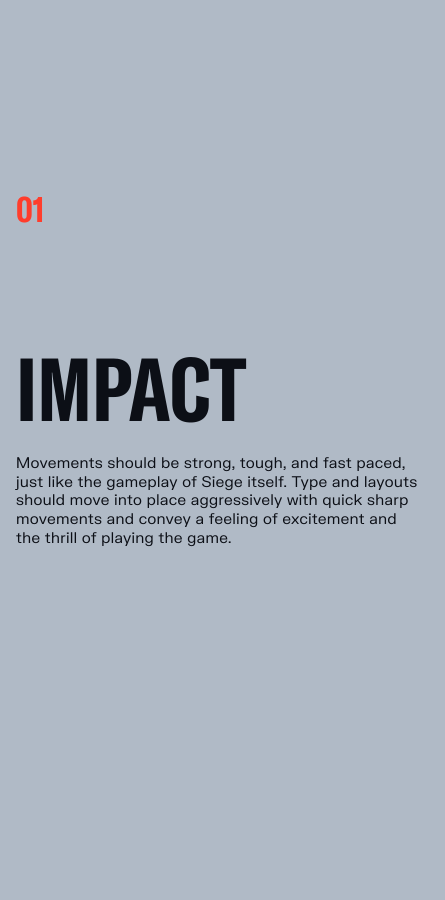
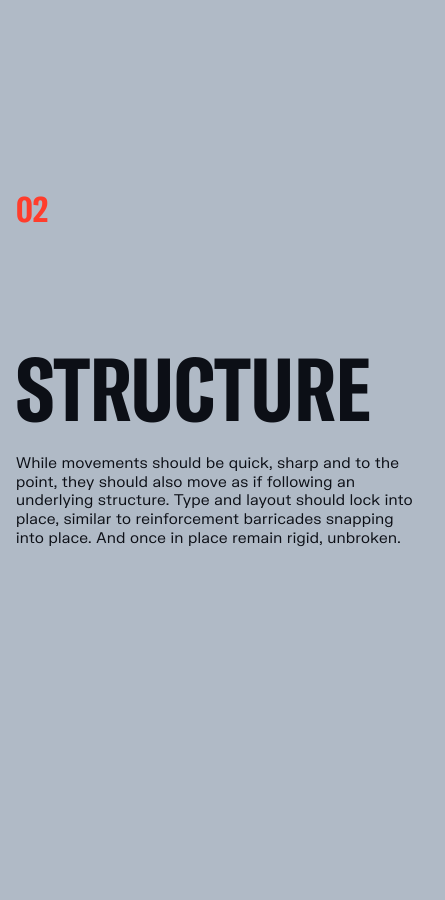
The Siege brand should come to life in motion. We use the following principles: Impact and Structure to bring dynamic moments of action to type and layout. Motion should be used to complement layouts, add interest and detail and ultimately excite the viewer. Here are a number of examples how Siege can come to life in motion.
Follow these principles as guidance when creating motion assets as well as making sure that all our motion assets are consistent.
Our logo reveal captures the essence of the Siege brand, the letterforms capture unbreakable forms whilst displaying The Caber within the characters of the wordmark. We have two version, Siege X and Siege.
Please visit out Downloads Centre for all motion assets.
Our logo reveal captures the essence of the Siege brand, the letterforms capture unbreakable forms whilst displaying The Caber within the characters of the wordmark. We have two version, Siege X and Siege.
Please visit out Downloads Centre for all motion assets.
Our title card uses a destruction transition to reveal a typographic animation.
A key thing to note is we should should never have a violent animation on a speaker, logo or partner logos. In this case we would recommend to do a hard cut instead.
Please visit out Downloads Centre for all motion assets.
Our transition uses our destruction to move from one screen to another. A key thing to note is we should should never have a violent animation on a speaker, logo or partner logos. In this case we would recommend to do a hard cut instead.
Please visit out Downloads Centre for all motion assets.
In our motion toolkit we have two animated background templates. Our background uses our destruction states to add motion to more static states in moving content. Here we use our pre destruction state. For more information on this please refer to our Destruction section.
Please visit out Downloads Centre for all motion assets.
In our motion toolkit we have two animated background templates. Our background uses our destruction states to add motion to more static states in moving content. Here we use our aftermath state. For more information on this please refer to our Destruction section.
Please visit out Downloads Centre for all motion assets.
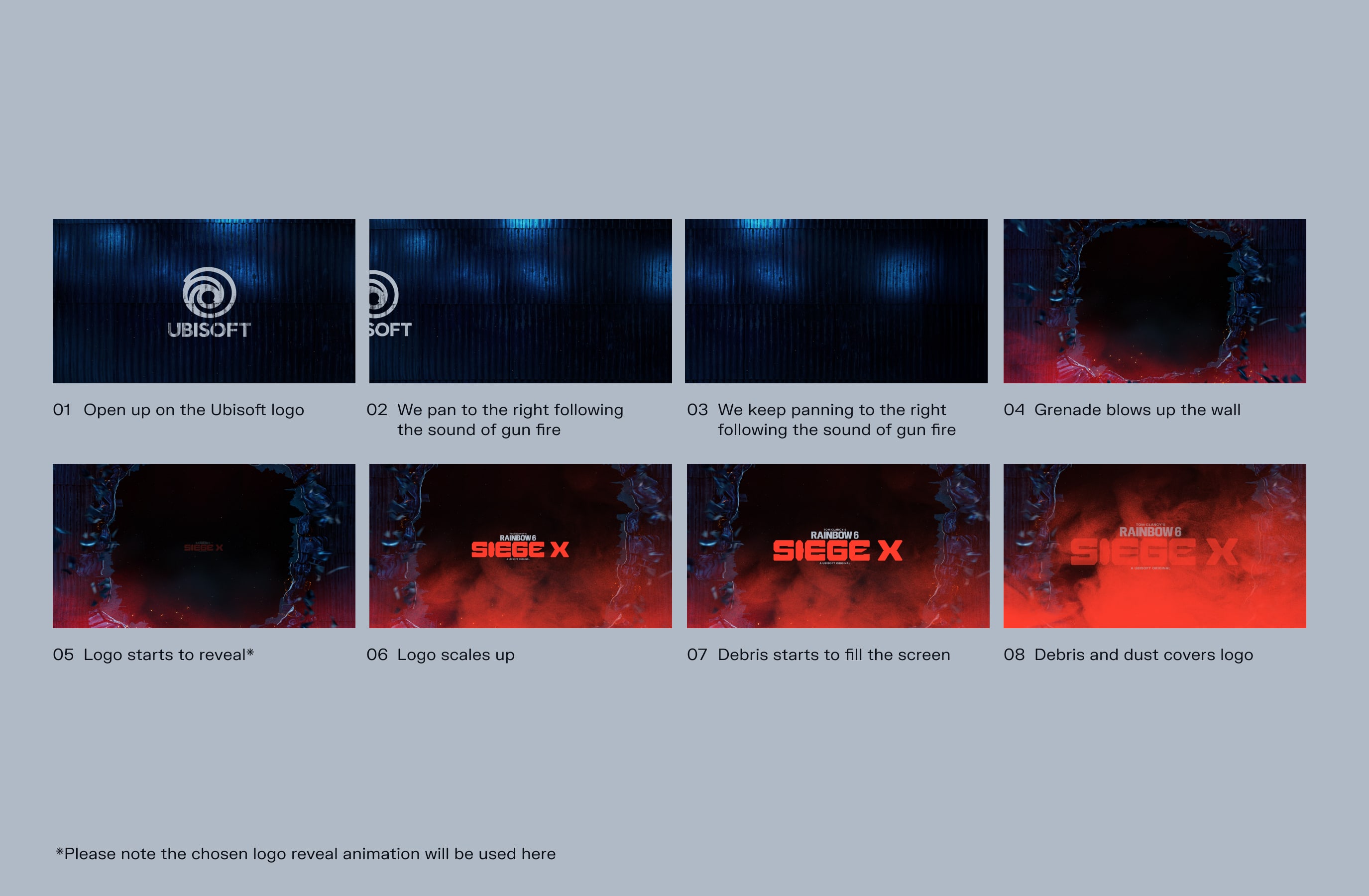
Our End Card uses our destruction states to reveal our logo and house important information.
Please visit out Downloads Centre for all motion assets.
Our Brand Intro showcases an example of how we can introduce the Siege branding using our destruction.
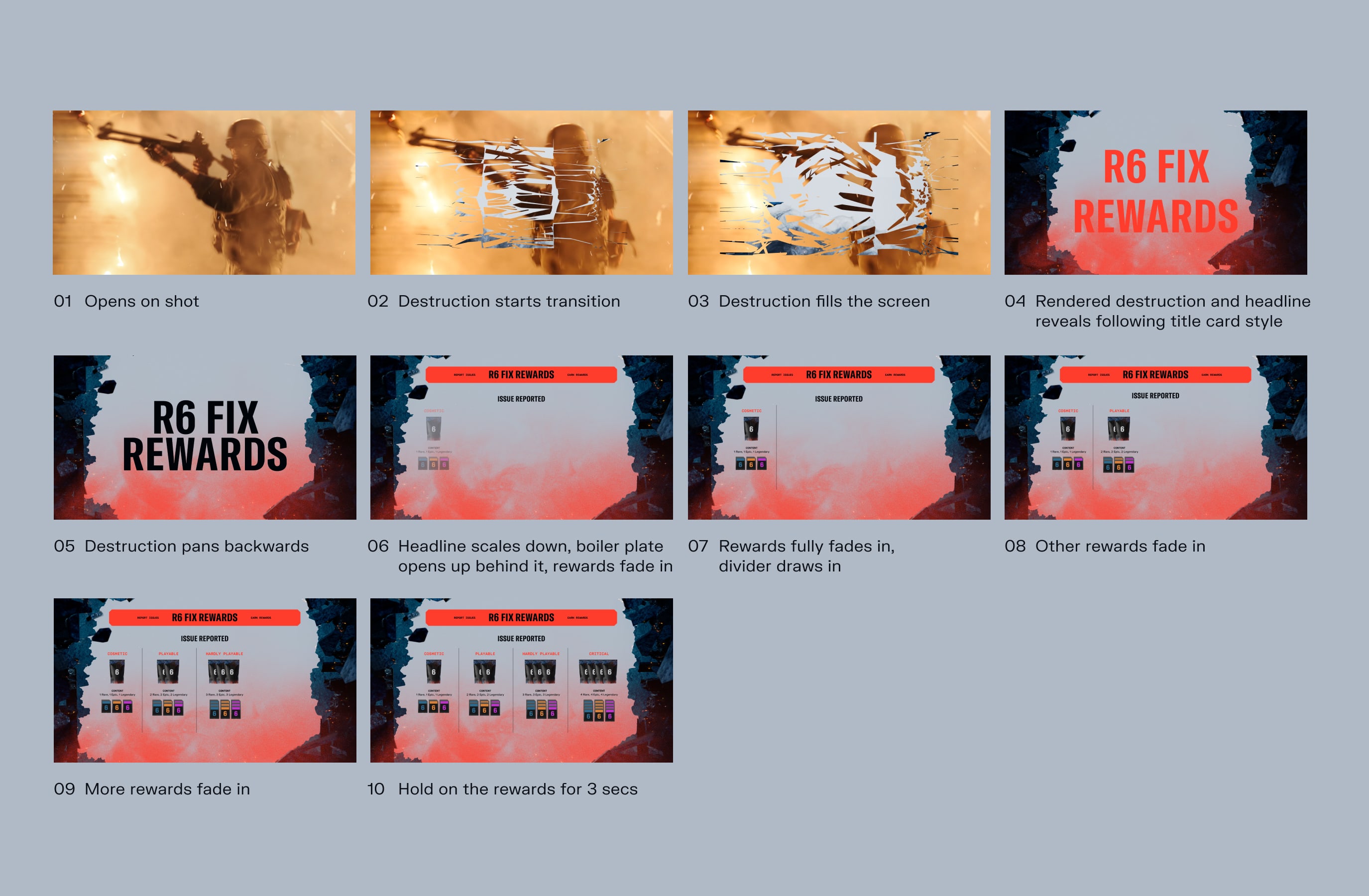
Here we have an example of how we could showcase an infographic. We can use Destruction to transition to an animated background which can then frame important information.
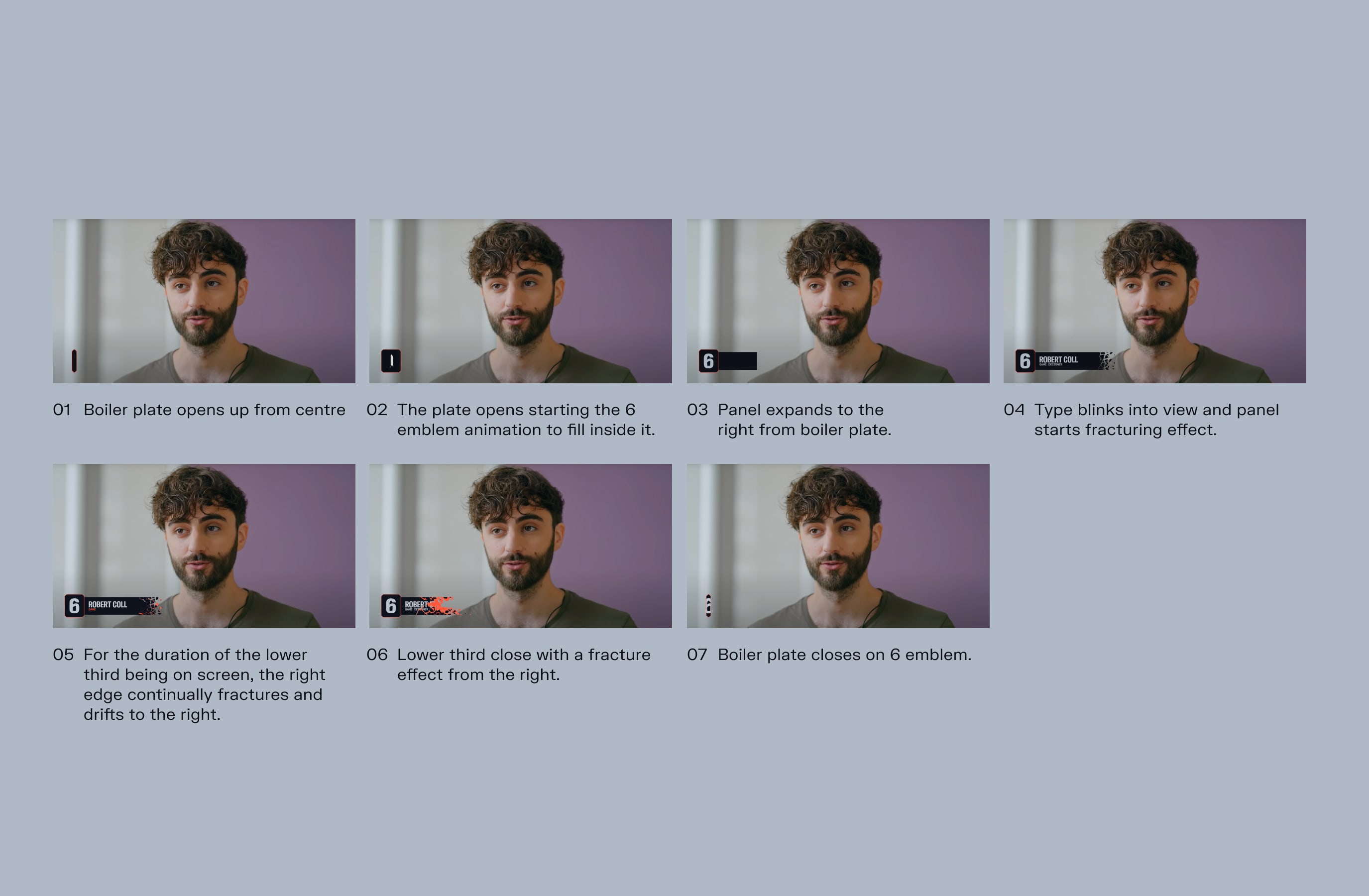
Here we have an example of how we could showcase a Lower third. Our Lower third uses our boiler plates to reveal our Franchise emblem logo and house important information.
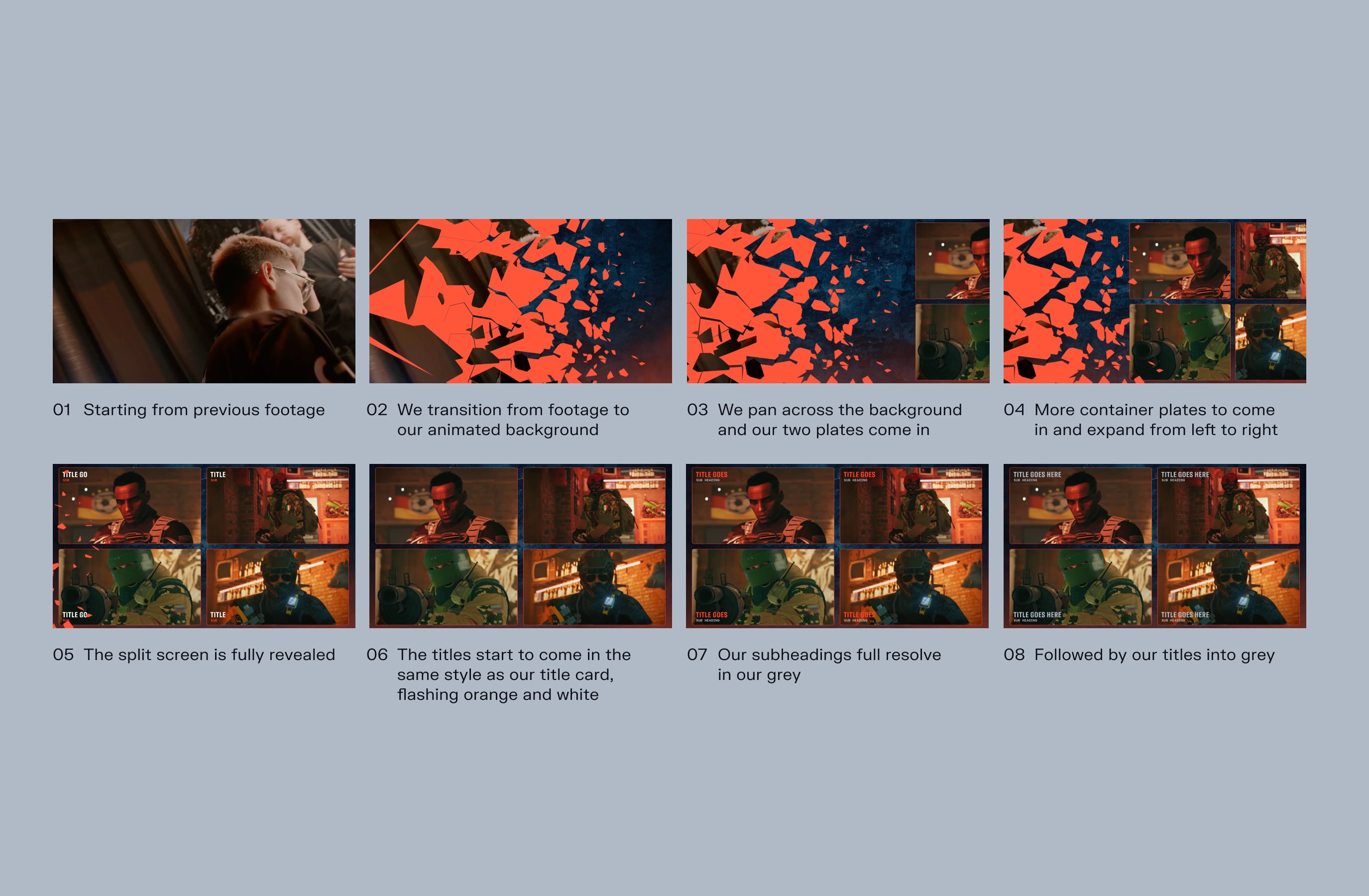
Here we have an example of how we transition to and show a Split Screen. Our Split Screen uses our destruction to transition to the state where we reveal our videos within our screen. At this point we use our boilerplates to reveal and house our content.
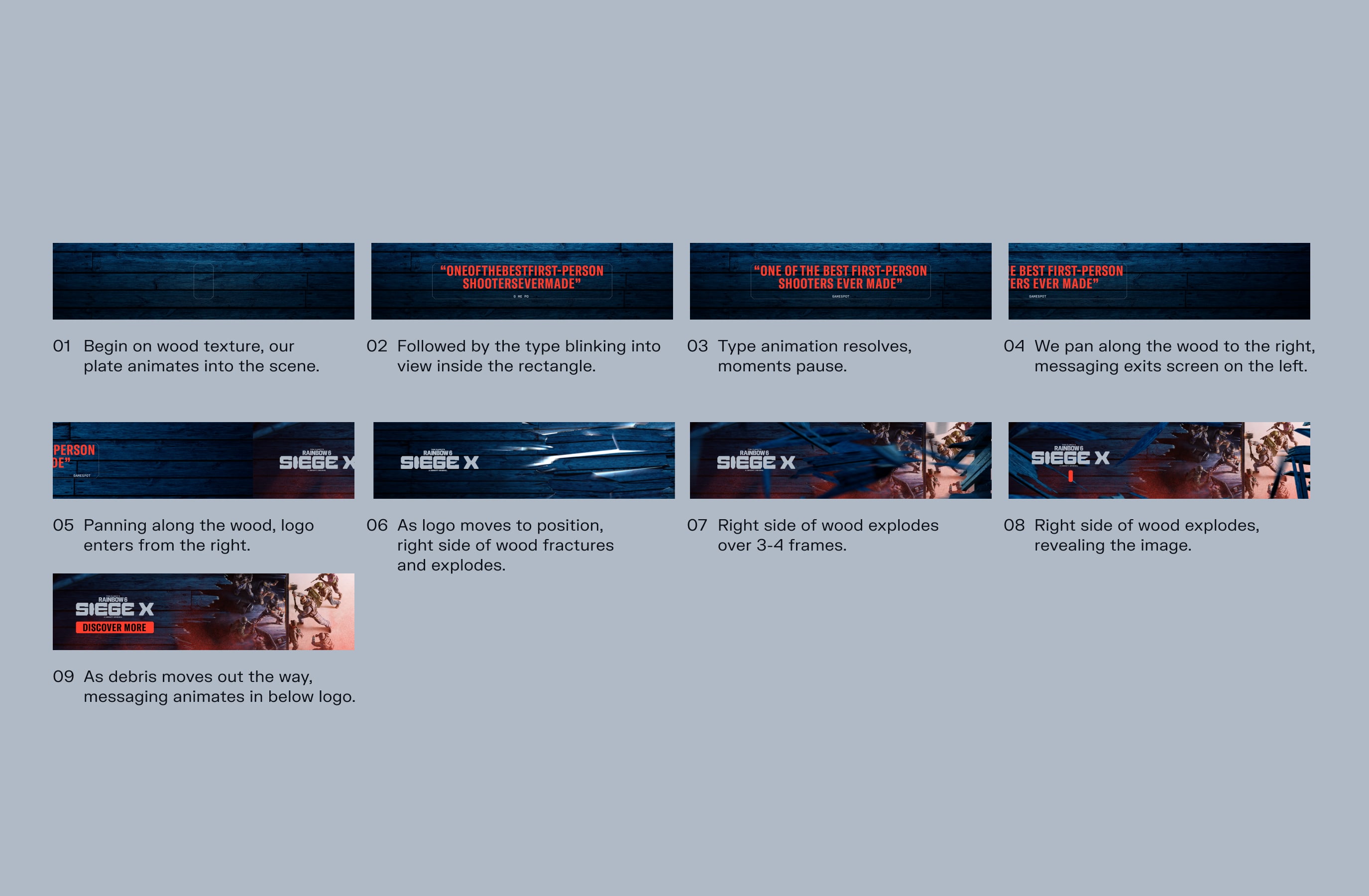
Our Digital Ad showcases how we can use typography and destruction to visualise key messaging and reveal key art.

Social media
Our Social Media example shows how we can reveal a carousel of information with our destruction and boilerplates in different engaging ways.